
Asynchronous Background Tasks in Python with Celery and Redis: Architecture & Setup
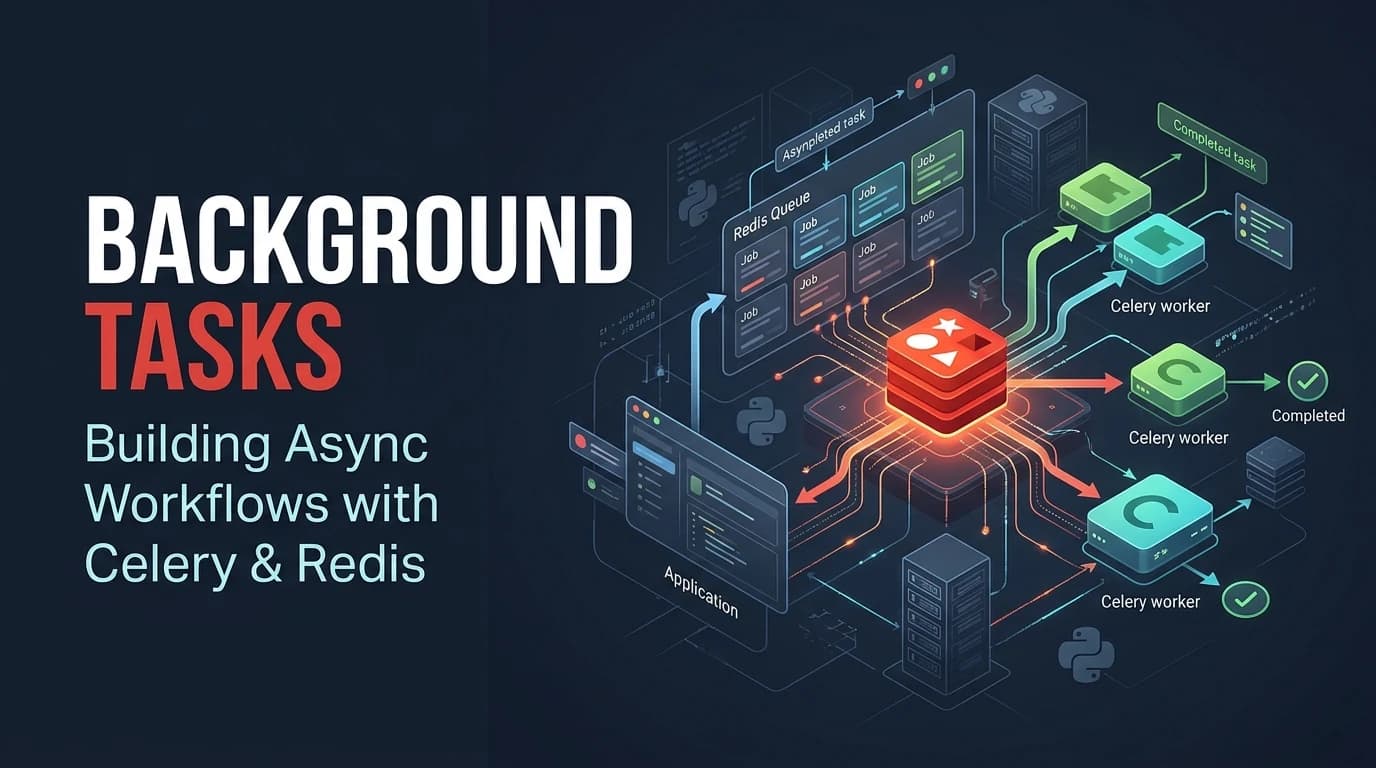
Modern web architectures require responsive, near-zero-latency request lifecycles. Operations such as dispatching marketing emails, rendering complex PDFs, importing massive datasets, or transcribing audio files will cripple HTTP throughput if executed synchronously inside web handlers.
Celery paired with Redis represents the time-tested production standard for managing distributed task queues, decoupling computation from HTTP servers.
Short Answer: In Celery, encapsulate long-running routines inside @celery_app.task decorators. Invoke them non-blockingly via .delay(*args), enqueuing payloads into Redis while API handlers return immediate status responses to clients.
Architectural Components
- Producer: Web application endpoints pushing execution payloads into the queue.
- Broker (Redis): In-memory queue managing serialized task payloads.
- Consumer (Worker): Dedicated background Python processes polling Redis for pending work.
- Result Store: In-memory key-value database persisting task execution results and traceback errors.
1. Setup & Requirements
pip install "celery[redis]>=5.3.6" redis python-dotenv
2. Celery Application Configuration (celery_app.py)
import os
from celery import Celery
from dotenv import load_dotenv

load_dotenv()

REDIS_URL = os.getenv("REDIS_URL", "redis://localhost:6379/0")

celery_app = Celery("worker_suite", broker=REDIS_URL, backend=REDIS_URL)

celery_app.conf.update(
    task_serializer="json",
    result_serializer="json",
    timezone="UTC",
    task_time_limit=300,
    worker_prefetch_multiplier=1,
)
3. Defining Resilient Tasks (tasks.py)
import time
import logging
from celery_app import celery_app

logger = logging.getLogger(__name__)

@celery_app.task(bind=True, max_retries=3, default_retry_delay=60)
def dispatch_notification(self, recipient: str, message: str):
    try:
        logger.info(f"Sending notification to {recipient}...")
        time.sleep(2)
        return {"status": "sent", "recipient": recipient}
    except Exception as exc:
        logger.error(f"Dispatch error, retrying: {exc}")
        raise self.retry(exc=exc)
4. Offloading from FastAPI (main.py)
If you are new to building async endpoints, start with our overview of FastAPI for Python backends.
from fastapi import FastAPI
from tasks import dispatch_notification

app = FastAPI()

@app.post("/notify")
async def trigger_notification(recipient: str, message: str):
    task = dispatch_notification.delay(recipient, message)
    return {"status": "queued", "task_id": task.id}
Related Articles
- Docker and Docker Compose for Python Developers — Run Redis, Celery workers, and FastAPI together in isolated containers.
- SQLAlchemy 2.0 and Alembic Async ORM Guide — Persist task results and manage database schemas asynchronously.
Frequently Asked Questions
Celery vs. FastAPI's native BackgroundTasks?
FastAPI BackgroundTasks run in the same memory space as the ASGI web server. If the server restarts or crashes, incomplete tasks are lost. Celery distributes tasks to separate worker machines, handles failures with persistent retry logic, and supports scheduled cron execution via Celery Beat.
Tags for this article: